Reduce the size of your PNG files and keep resolution

pngquant is a lossy PNG compressor that reduces the size of PNGs. Save disk space and bandwidth while increasing loading speed of your website, game, or other project with this magnificent tiny tool.
This is a software recommendation. I approve this tool!
My experience with pngquant
I have used pngquant 100s of times on Windows, with a shortcut on the desktop, for automated palette reduction.
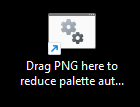
I simply drag and drop my image onto the shortcut and a reduced version is generated. I have used it on every PNG on this website, with a size reduction of 50% to 80%. For instance on the image above it saved 'only' 50%. It reduced the thumbnail to this post from 100KB to only 20KB.
Why use lossy PNG over a JPG?
To avoid JPG artifacts.
For certain types of files - ones with a lot of solid colors it can create better compression.
How does pngquant work?
It reduces the color palette of the file with an algorithm. Fewer colors are saved, so the file is smaller.
Does pngquant reduce the quality of the image?
Yes, but not always. When a lot of different colors are used in the image, the palette reduction will cause artifacts like banding or changed colors. If the image has only a few colors, the reduced image will look the same as the original.
Why minify files at all?
Media files use a lot of space and bandwidth. Reducing their size can significantly speed up loading your website and reduce your server bill.
Should I quantize or scale down the resolution?
Quantization allows for posting higher resolution image with the size of a smaller one. So instead of reducing the resolution, you may chop the colors instead. It may be useful for screenshots with text that should remain sharp. Reducing resolution, or saving as a different format is still useful for images on which colors are more important.
Platforms
pngquant can be used on Windows, Mac, Linux as both an executable, and a library for developers.
Download
Download from the official website:
Or visit the github repo. It has 5.6k stars and 44 contributors. So you know it's good